Adding Tests to RS APP (for trainers and course administrators only)
-
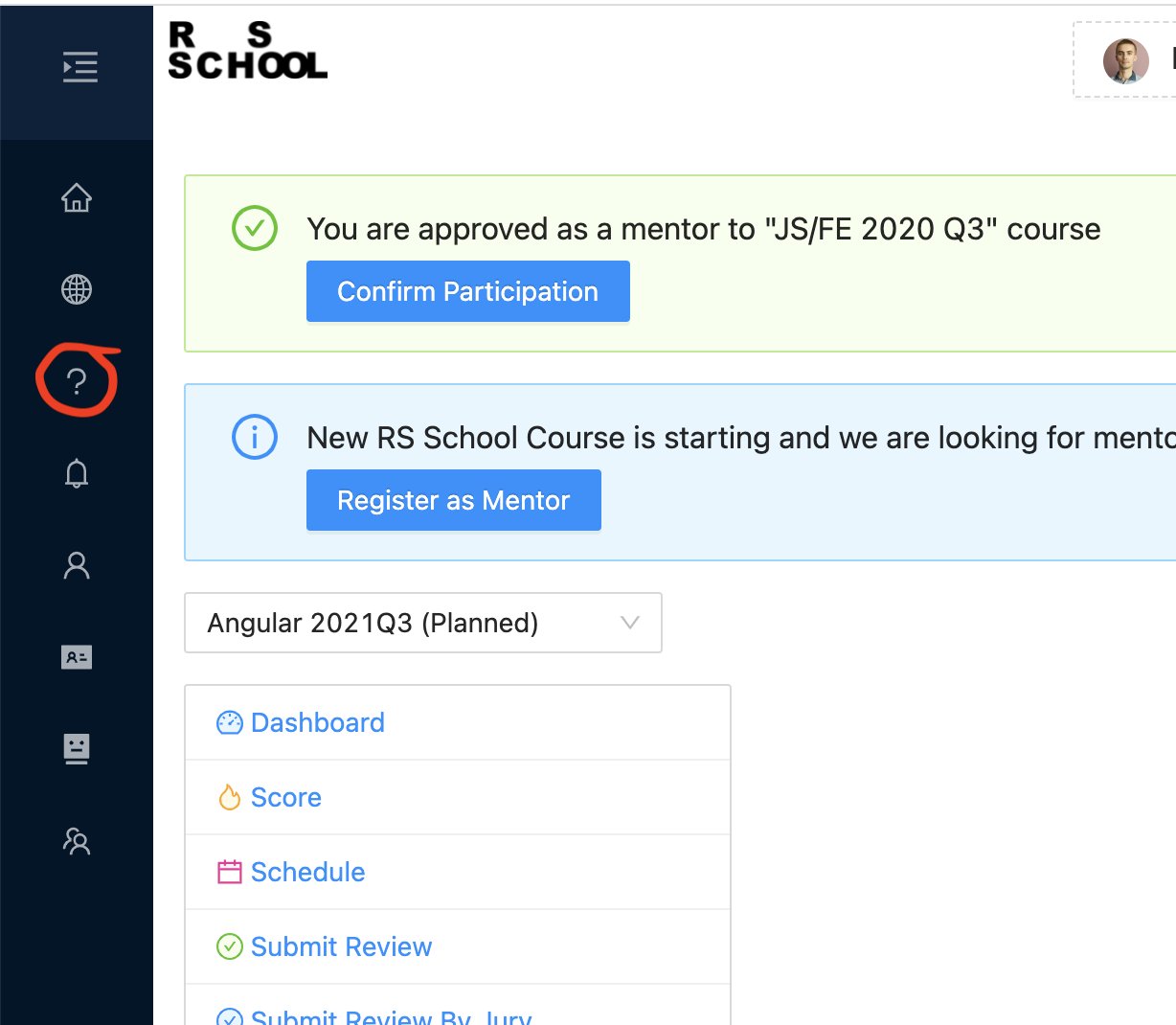
To add tests, go to the "Manage Tasks" page:
-
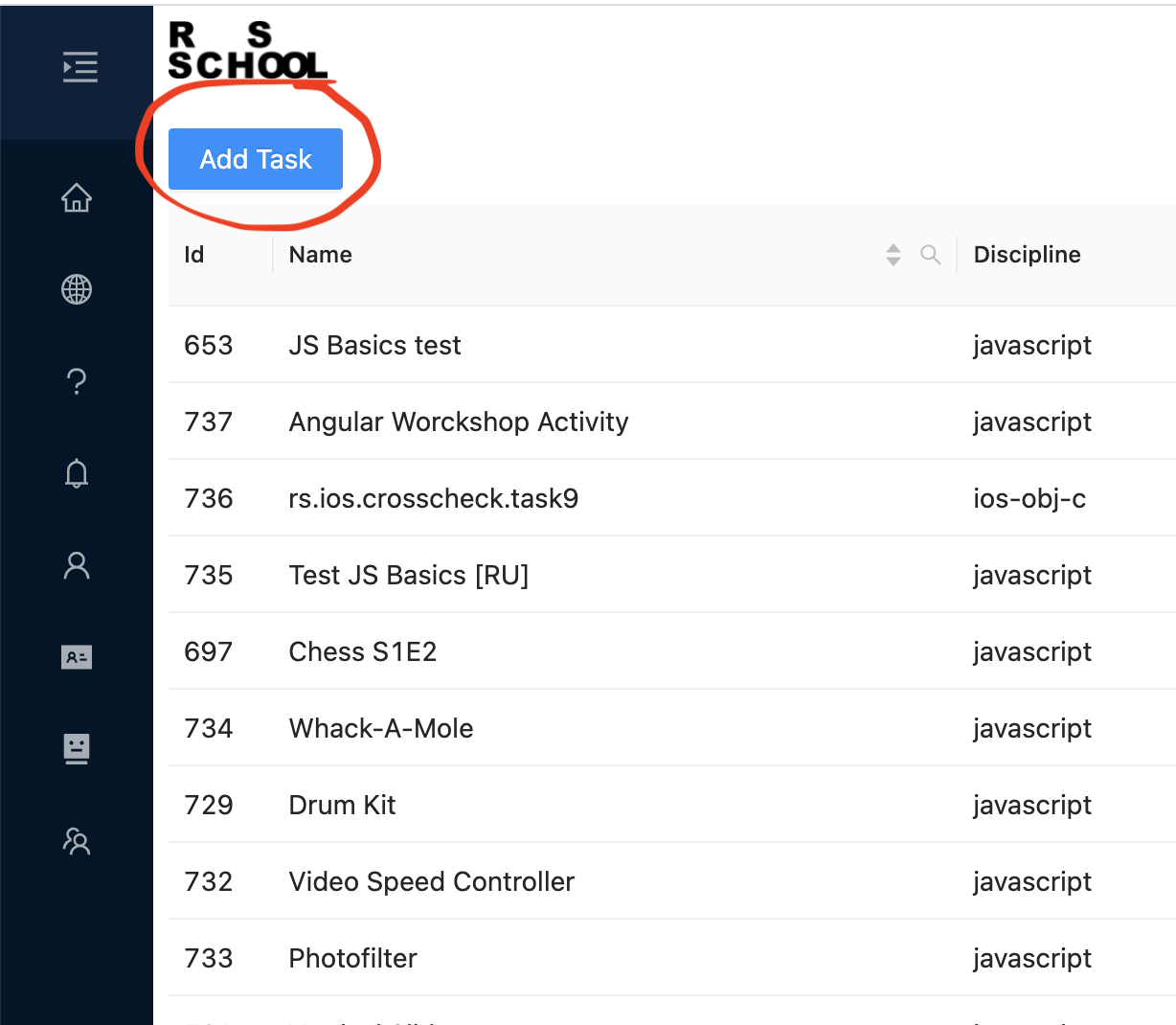
Then click the "Add Task" button:
-
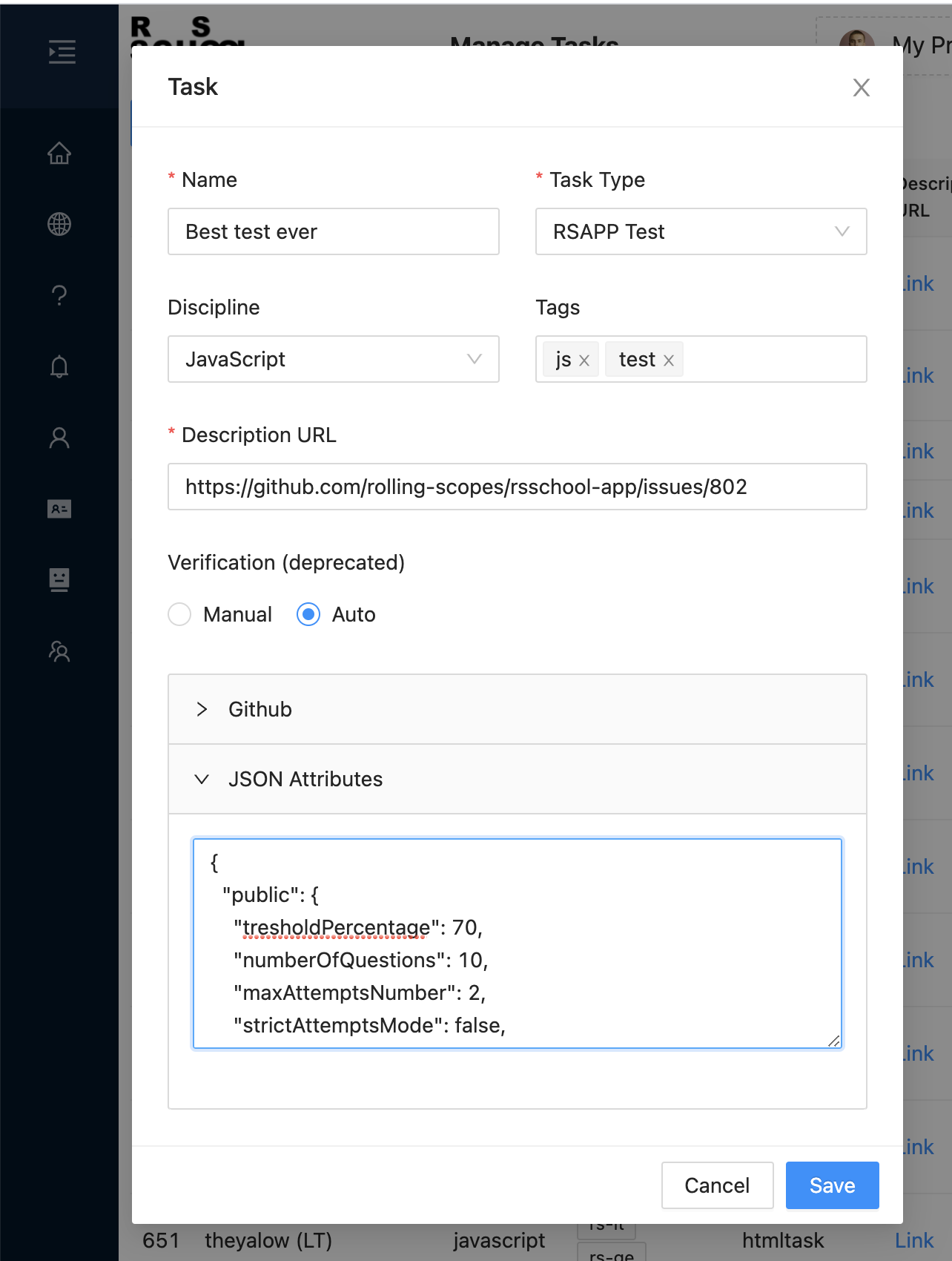
Next, fill out the form and save it: - "Name" - assignment name; - "Task Type" - select "RSAPP Test"; - "Discipline" - select the discipline related to the course; - "Tags" - tags, optional, to make it clearer which area of the course this assignment belongs to. For example "javascript", "html/css", "react", etc.; - "Description URL" - link to assignment description; - "JSON Attributes" - you need to insert a pre-prepared JSON with test settings, as well as questions and answer options (see below).
-
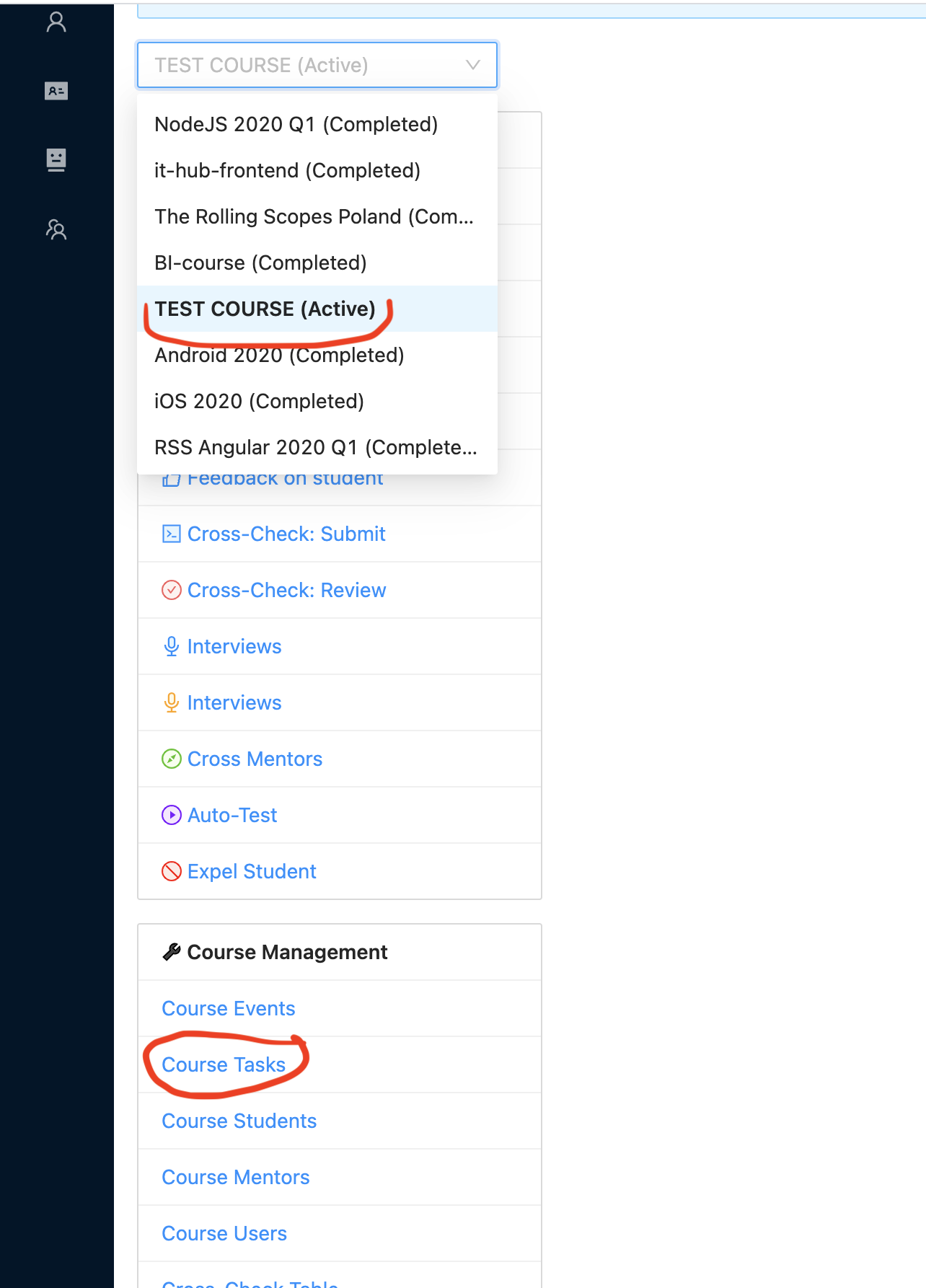
Then in the selected course menu, go to "Course Tasks":
-
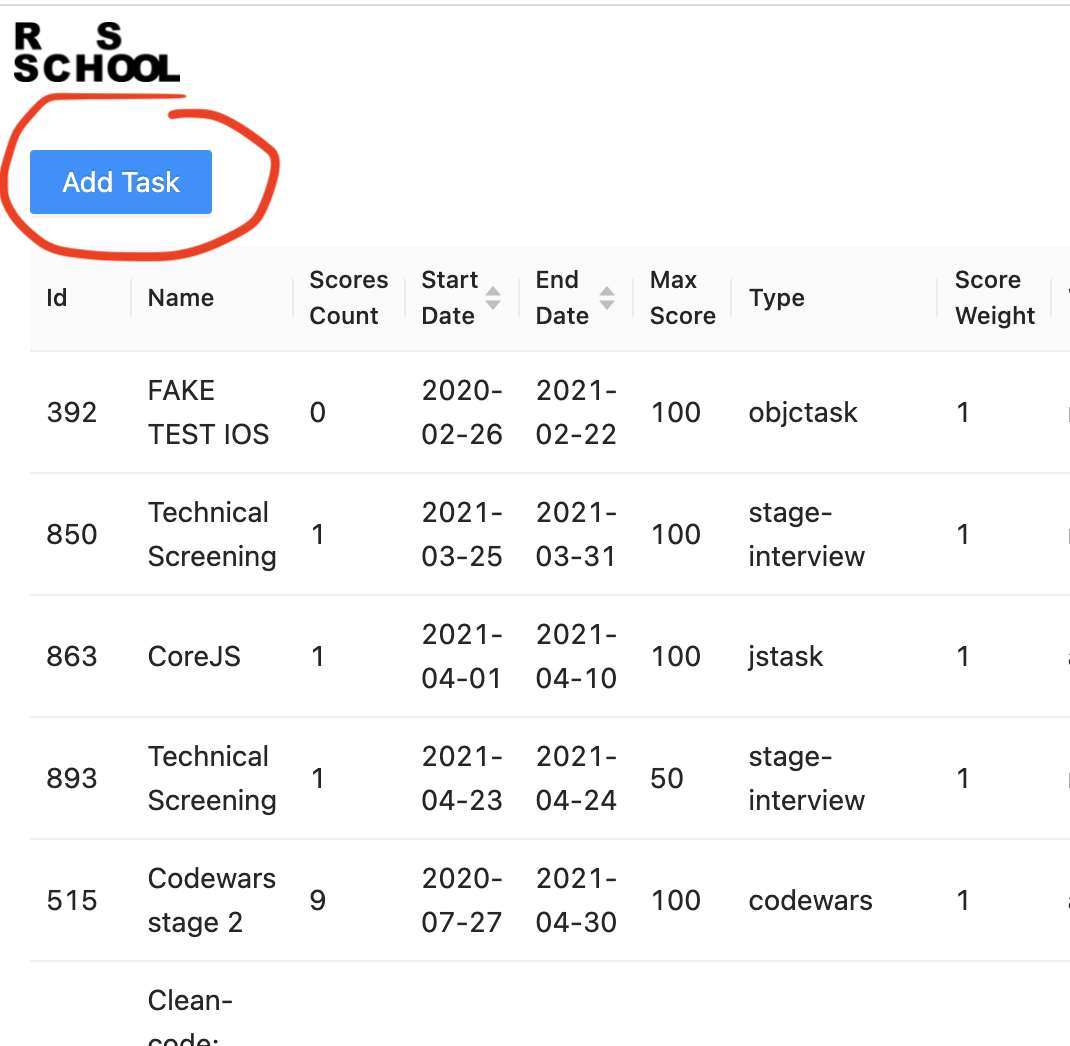
And here also click the "Add Task" button:
-
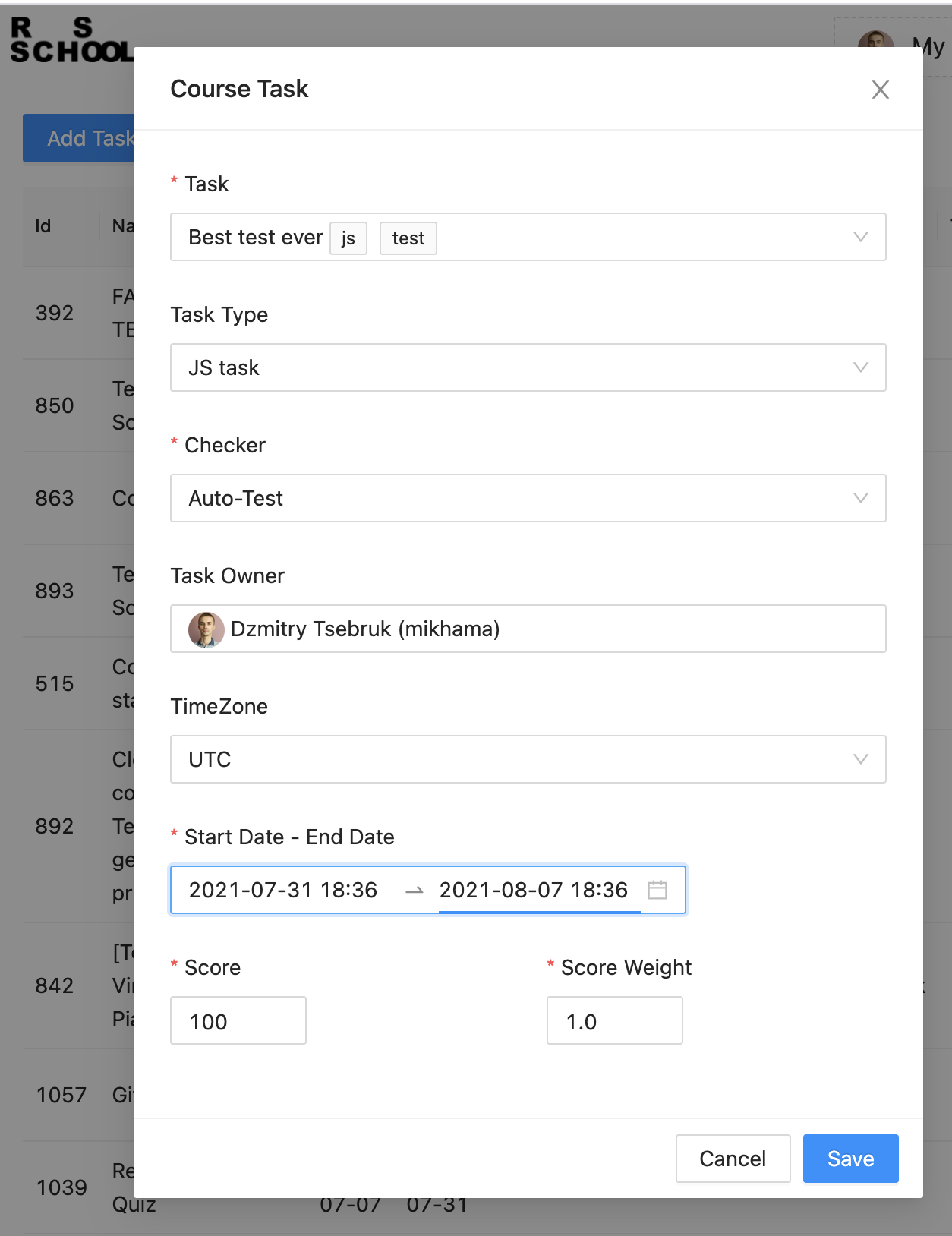
Fill out the form again and save: - "Task" - select the just created assignment from the list; - "Task Type" - select "RSAPP Test"; - "Checker" - select "Auto-Test"; - "Task Owner" - select the person responsible for this assignment; - "Start Date - End Date" - assignment release date and deadline; - "Score" - here write the maximum number of points a student can get for this assignment; - "Score Weight" - assignment weight (default 1), needed so that later the course manager can adjust the impact of some less important assignments on the overall result. Don't touch this field.
-
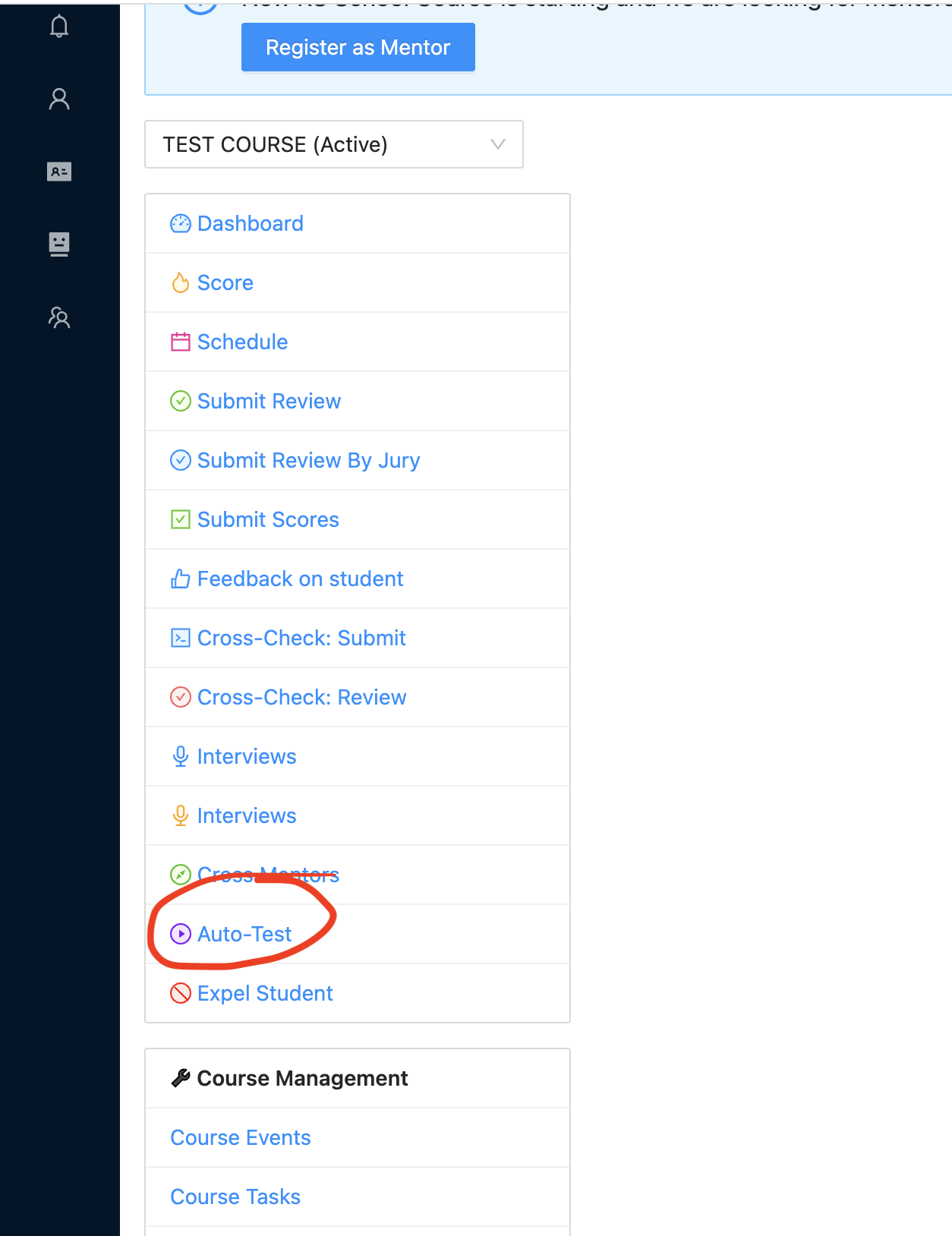
Assignment added! Now you can return to the course menu and go to "Auto-Test" to make sure the assignment was added correctly:
-
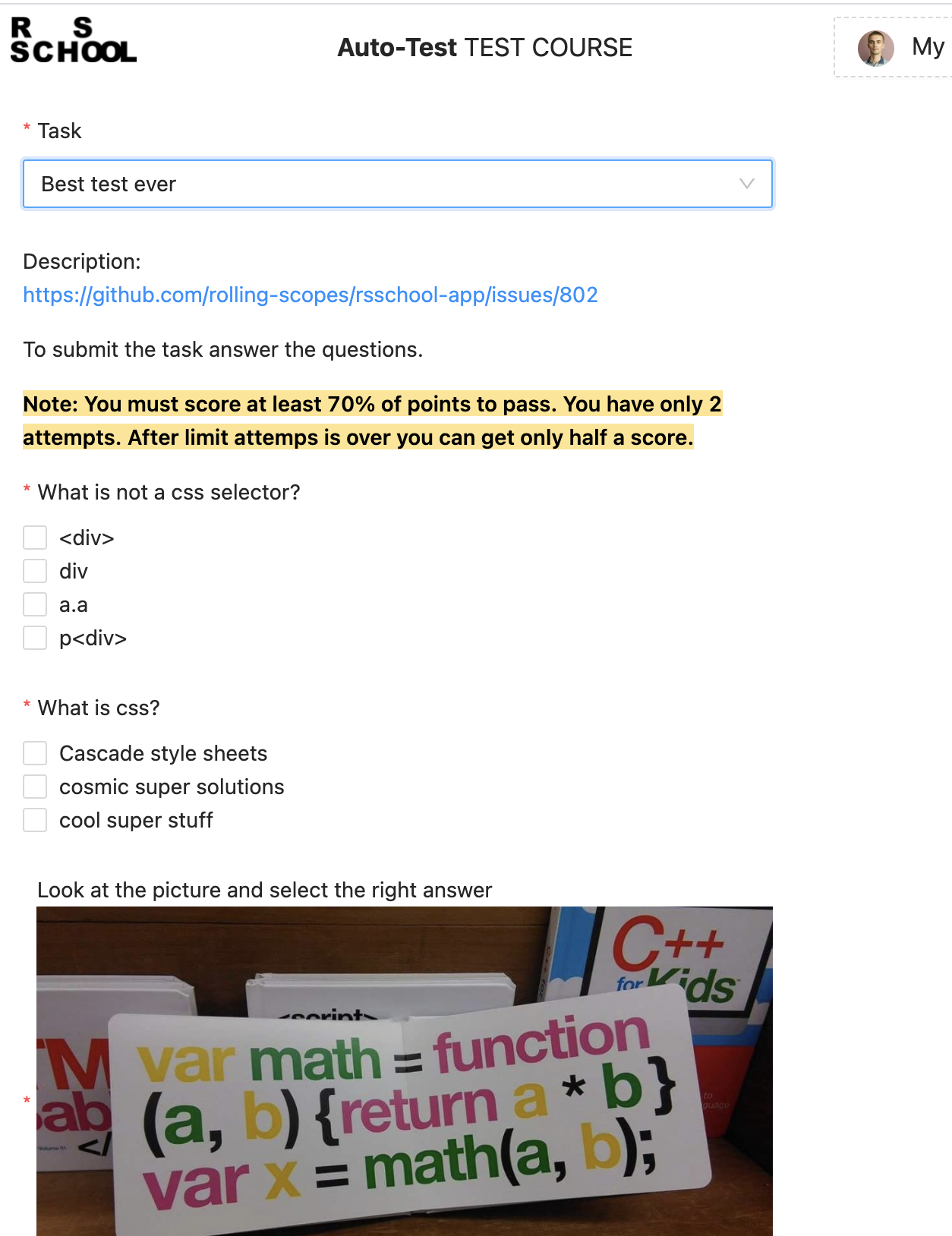
Then select our test from the list and check that everything is correct:
JSON Attributes
Parameters:
- "strictAttemptsMode" - strict mode is enabled by default, to disable set this flag to "false".
- "maxAttemptsNumber" - if strict mode is enabled, after the specified number of attempts expires, the student will get 0, otherwise they can submit until infinity (deadline), but the grade will be divided by 2.
- "numberOfQuestions" - number of questions (should equal the length of "answers" and "public"."questions" arrays).
- "tresholdPercentage" - percentage that the student must score for the assignment to be considered passed (otherwise they get 0 and lose one attempt).
- "public"."questions" - here questions and answer options are described. If you need to add a multiple choice option - set the "multiple" flag to "true".
- "answers" - array with numbers of correct answers (order should be the same as in "public"."questions"!).
Please note! that submitting this assignment multiple times - the student will get the last grade (not the best!). That is, you can retake and get 0.
Example:
{
  "public": {
    "tresholdPercentage": 70,
    "numberOfQuestions": 10,
    "maxAttemptsNumber": 2,
    "strictAttemptsMode": false,
    "questions": [
      {
        "question": "Do you like html?",
        "answers": ["Yes", "No", "Maybe"],
        "multiple": false
      },
      {
        "question": "What is css?",
        "answers": ["Cascade style sheets", "cosmic super solutions", "cool super stuff"],
        "multiple": true
      },
      {
        "question": "What is not a css selector?",
        "answers": ["<div>", "div", "a.a", "p<div>"],
        "multiple": true
      }
    ]
  },
  "answers": [[0], [0, 2], [0, 3]]
}