Schedule in RS APP
For successful completion of the selected course in RS App, there is a schedule that can be accessed from the main menu
- Select the desired course
- Go to the link or Schedule tab

General view of the schedule

Schedule control panel
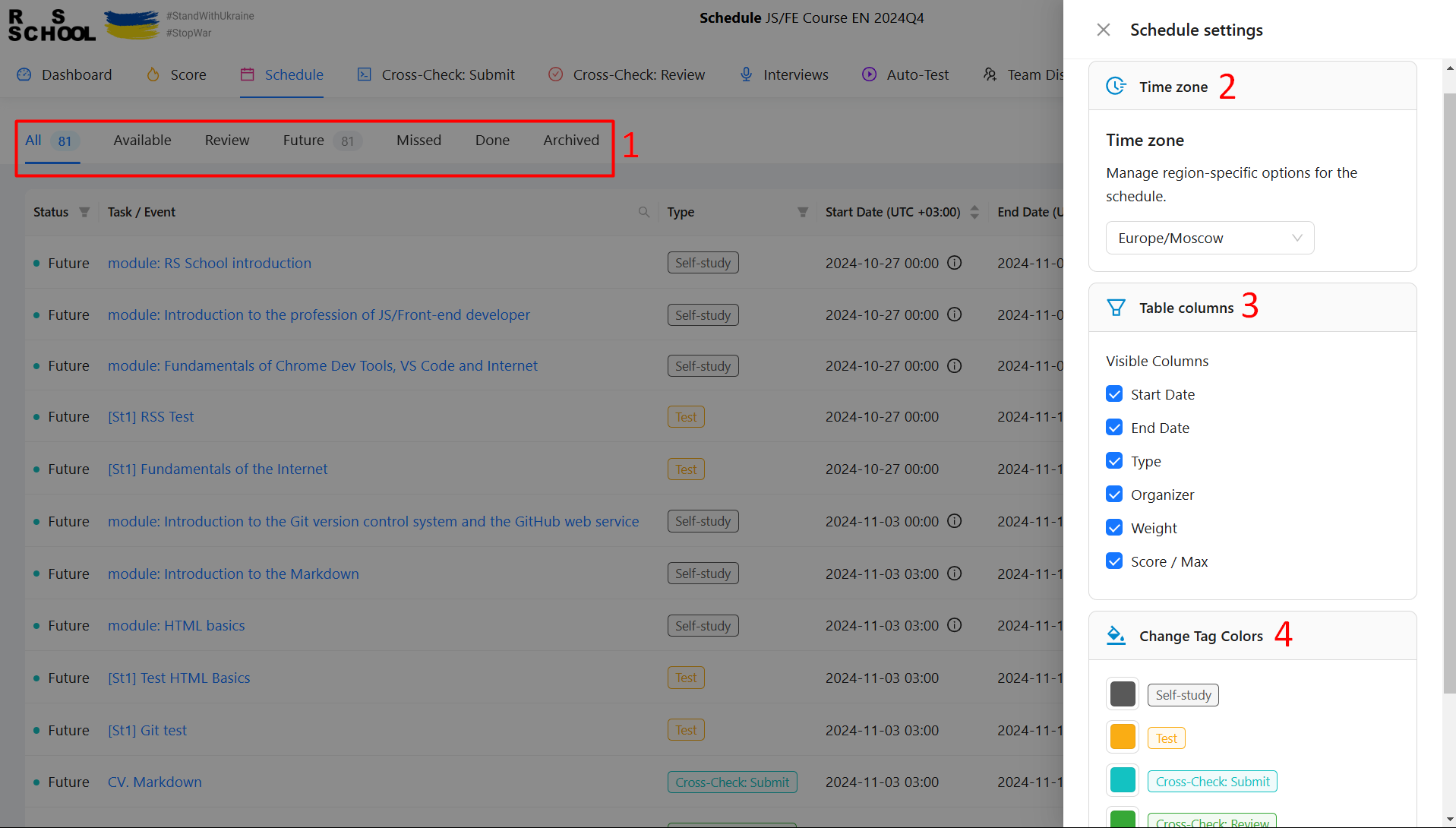
- Filter by assignment status
- Time zone selection
- Hide/show individual table columns
- Event tag color settings
Event/assignment details
Clicking a link from the schedule opens a page with the event/assignment description.
Using the schedule
For convenient use of the schedule in RS App, the following features are provided:

- Filter by assignment status
- Search by event/assignment name
- Filter by assignment type
- Sort by assignment release date
- Sort by assignment end date
- Search by organizer